
Controls & Coverage
Controls are the only thing that mathematically reduces a threat's residual score. A control that exists in your inventory but isn't linked to a threat is not protecting that threat — it's protecting nothing.
What counts as a control
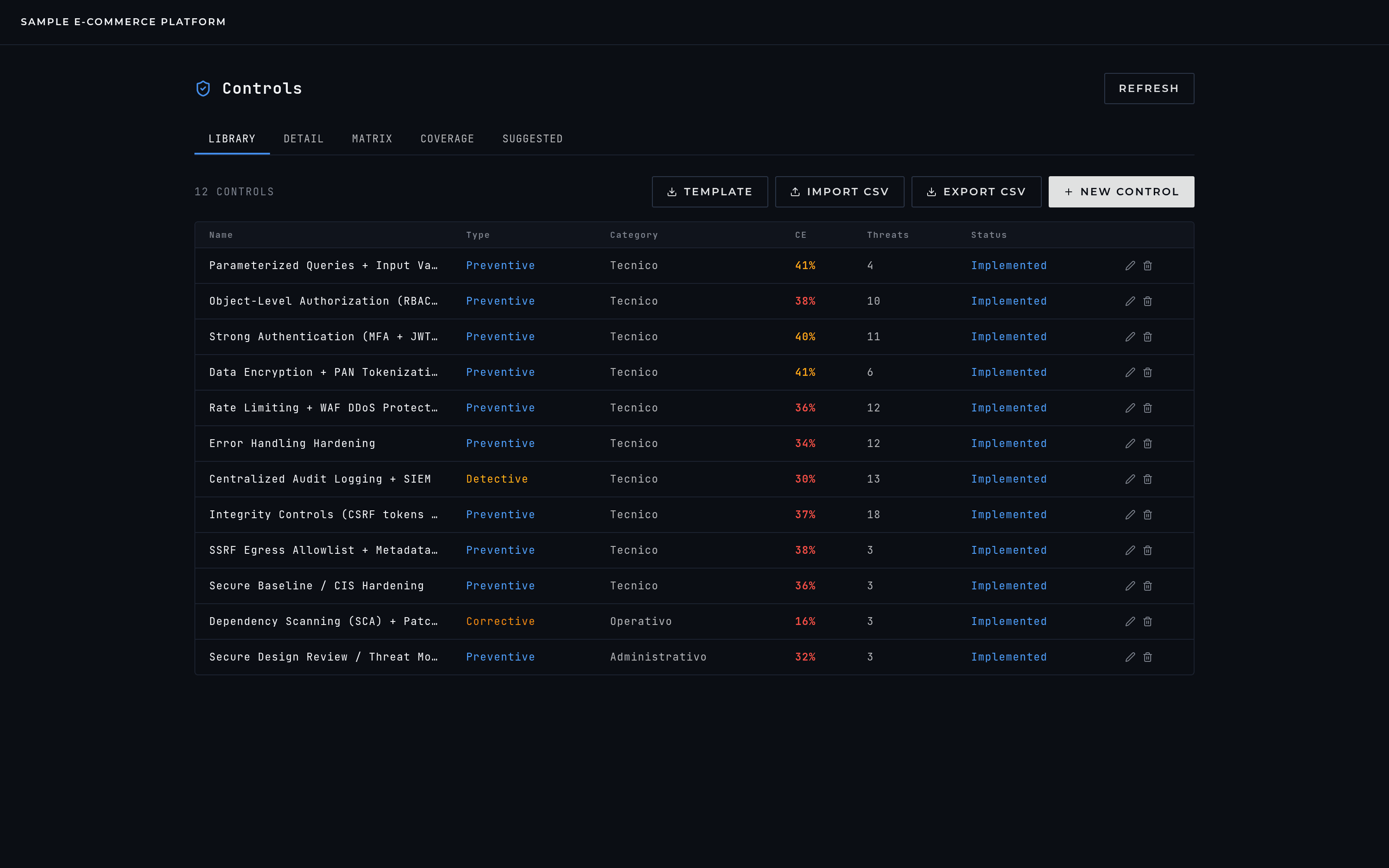
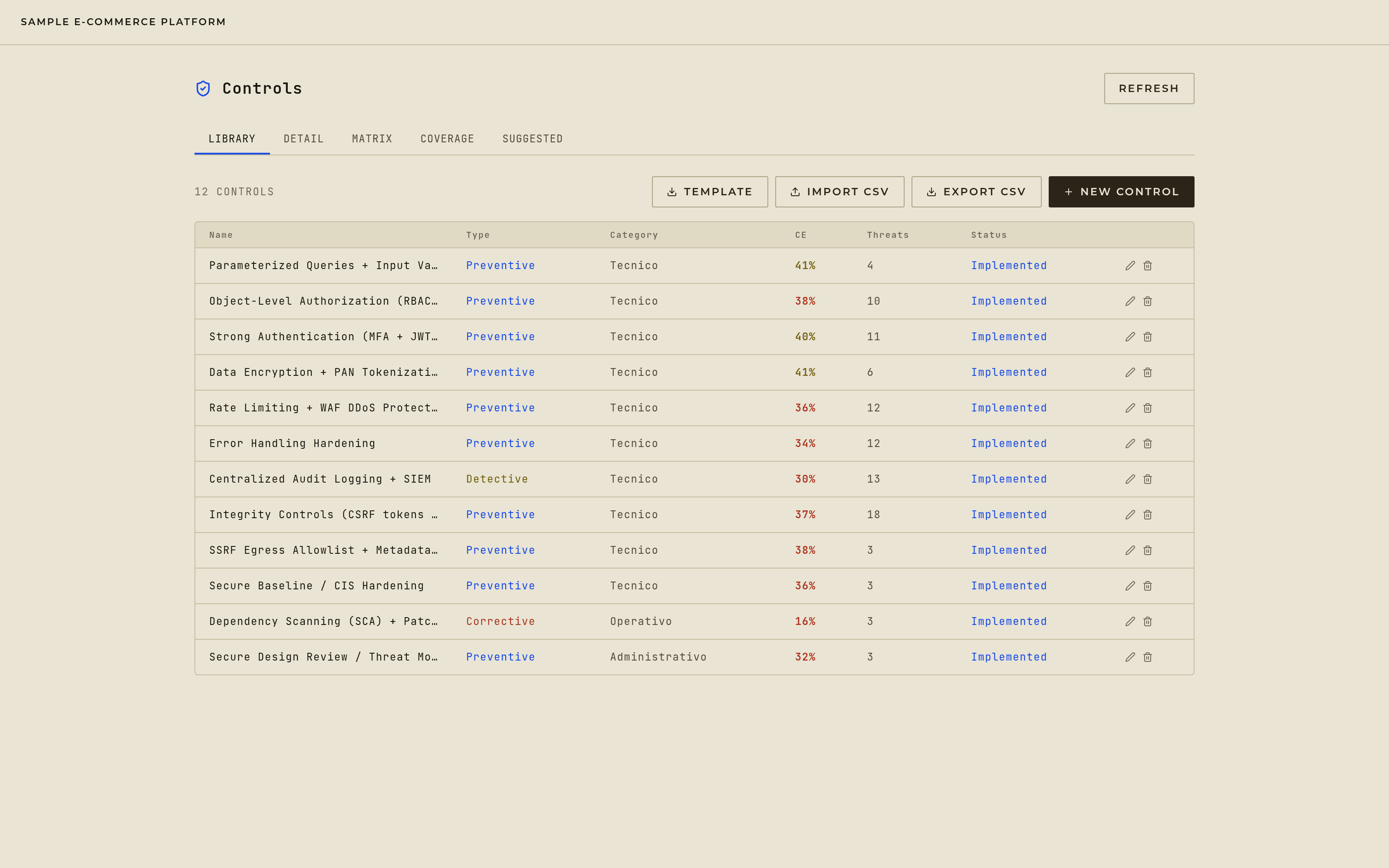
Any technical, administrative, or physical safeguard that reduces the likelihood or impact of a threat — a WAF, an MFA policy, an incident-response runbook, a badge reader. A control does two things at once: it reduces the residual score of every threat it's linked to, and if it's preventive, it also lowers the probability the risk engine assigns to that threat happening in the first place.
Where a control comes from
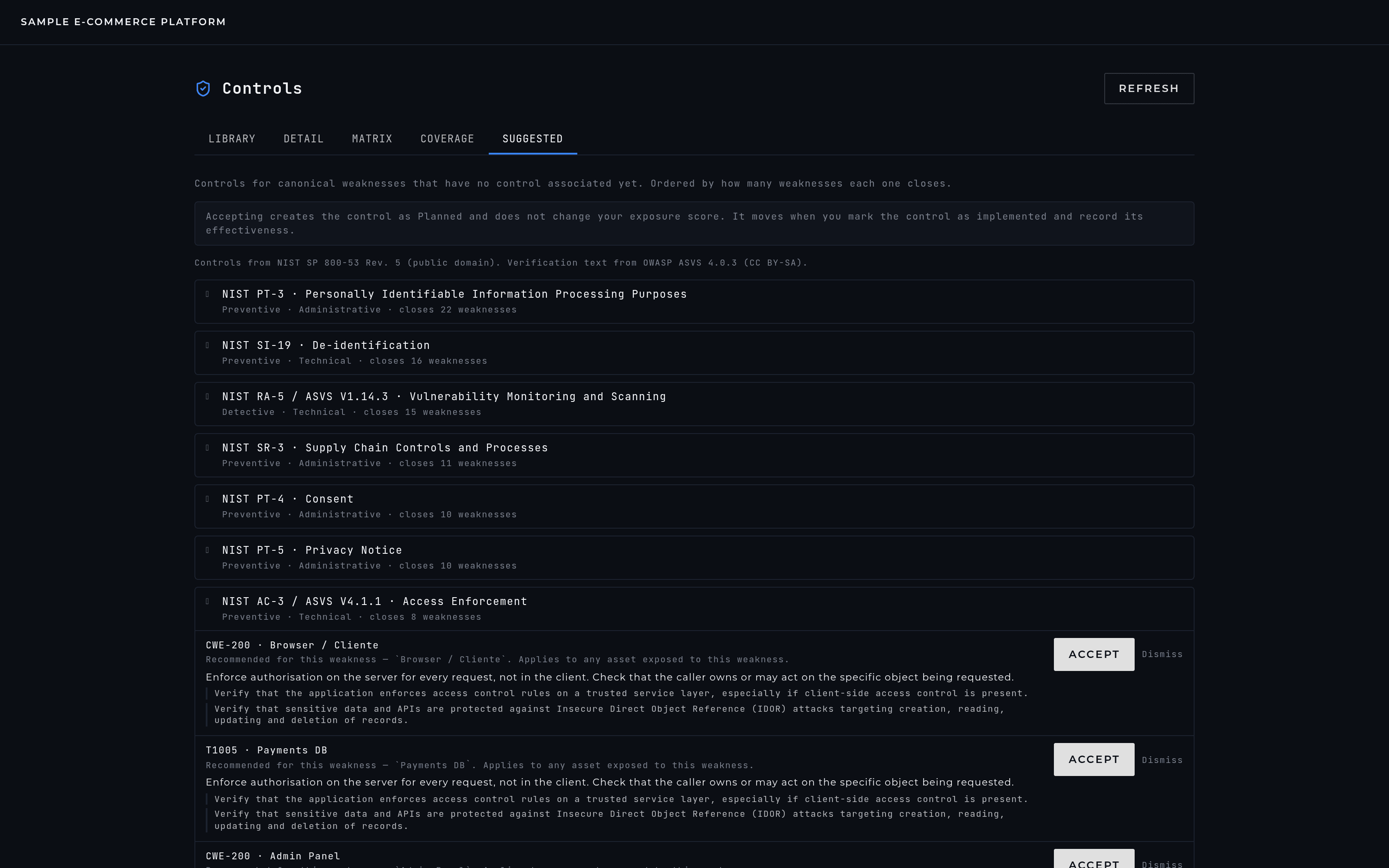
You don't have to start from an empty inventory. Any canonical weakness with no control linked to it comes back with recommendations drawn from a curated catalog — NIST SP 800-53 for what the control is, OWASP ASVS for what to verify once it's in place. Matching happens against the technology and the dataflows you actually described, so what gets recommended on a cache isn't what gets recommended on a public API.
Two places show them, and they answer different questions. The Suggested tab in Controls is the aggregate backlog, ordered by how many weaknesses each control would close — that's what to build first. Inside an expanded Threat Intelligence row, the same engine answers the narrower question you have while reading a single finding.
- WHY THIS CONTROL
- Every recommendation carries its reason, assembled from facts about your project — and marks whether it was tuned by that evidence or is the baseline for that weakness. Knowing which is which beats having everything look bespoke.
- WHAT ACCEPTING DOES
- Creates the control in your inventory as planned, and links it to that one weakness. Nothing is linked in bulk, and no coverage is inferred on your behalf.
- WHAT IT DOESN'T DO
- It doesn't move your exposure score. A planned control is documentation, not defense — the number moves when you mark it implemented and record its measured effectiveness, the same as every other control.
- IF YOU ALREADY HAVE IT
- When a control with that catalog reference is already in your inventory, the card says so and points you at linking the existing one rather than creating a duplicate.
Type, category, and status
- TYPE
- preventive (stops it happening), detective (catches it after the fact), corrective (restores operations once it has), or deterrent (discourages the attempt). Each pulls a different lever in the score — the mechanics are on the Methodology page.
- CATEGORY
- technical, administrative, or physical — the nature of the safeguard, not its effect.
- STATUS
- planned and obsolete controls exist in your inventory as documentation, but only implemented and verified controls count toward your score. A control you intend to deploy next quarter shouldn't make today's score look safer than it is.
The control matrix
The matrix is where controls actually get linked to threats: threats down one side (colored by residual score), controls across the top, and a click toggles the association in either direction. A threat can have several controls; a control can cover several threats. A control with no threats linked to it anywhere is an orphan — it's real, it might even be a good control, but it isn't reducing anything, and the platform flags it so it doesn't sit there unnoticed.
How effectiveness is actually calculated
Every control gets an effectiveness percentage built from how well it detects, how well it prevents, and how fast it responds — and when several controls cover the same threat, they combine with diminishing returns rather than simple addition, the way real defense-in-depth actually works. The exact weighting and the calibration behind it are the one part of the engine Scvltori keeps to itself — see How Control Effectiveness Works on the Methodology page for the full shape of it.
Coverage
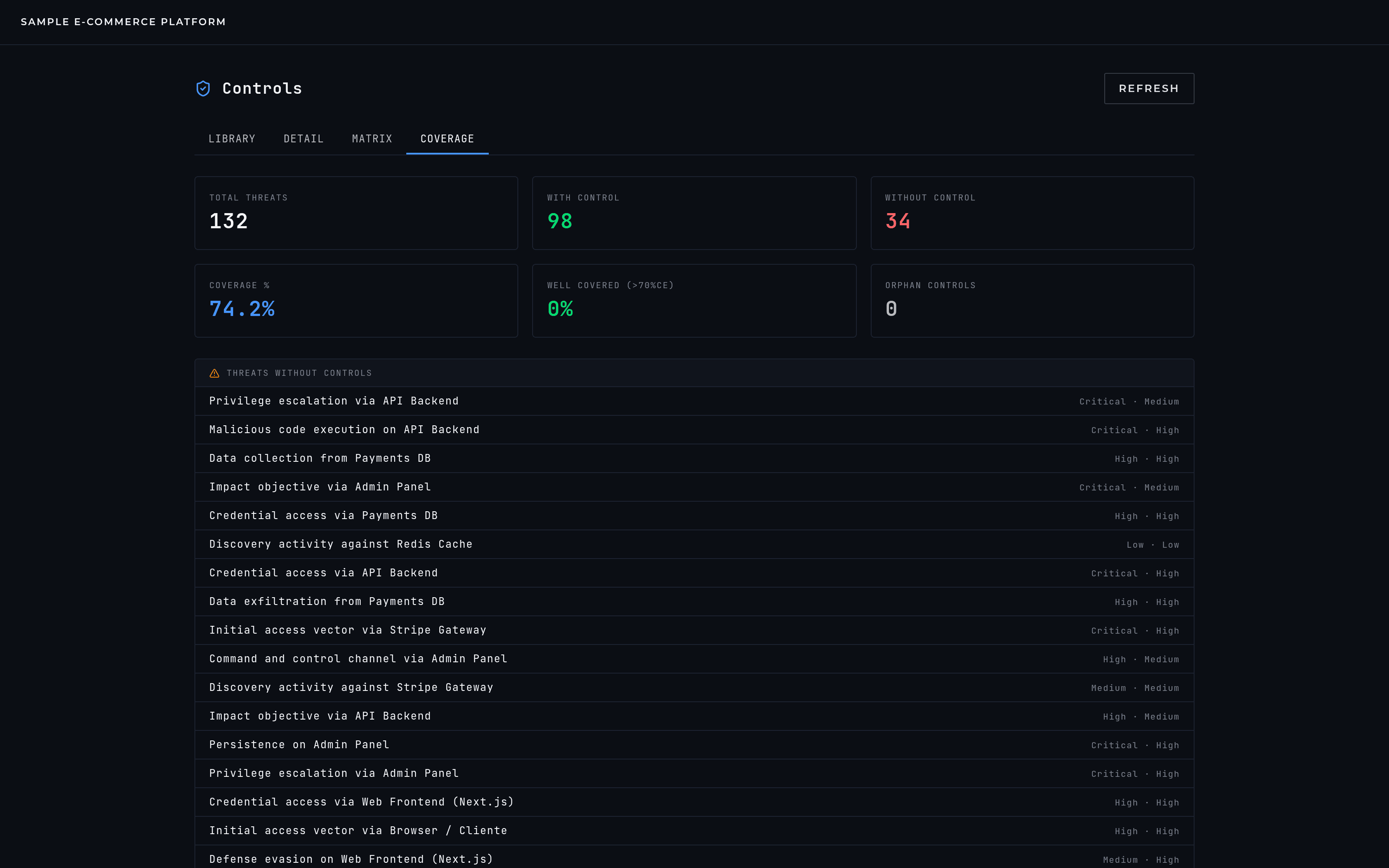
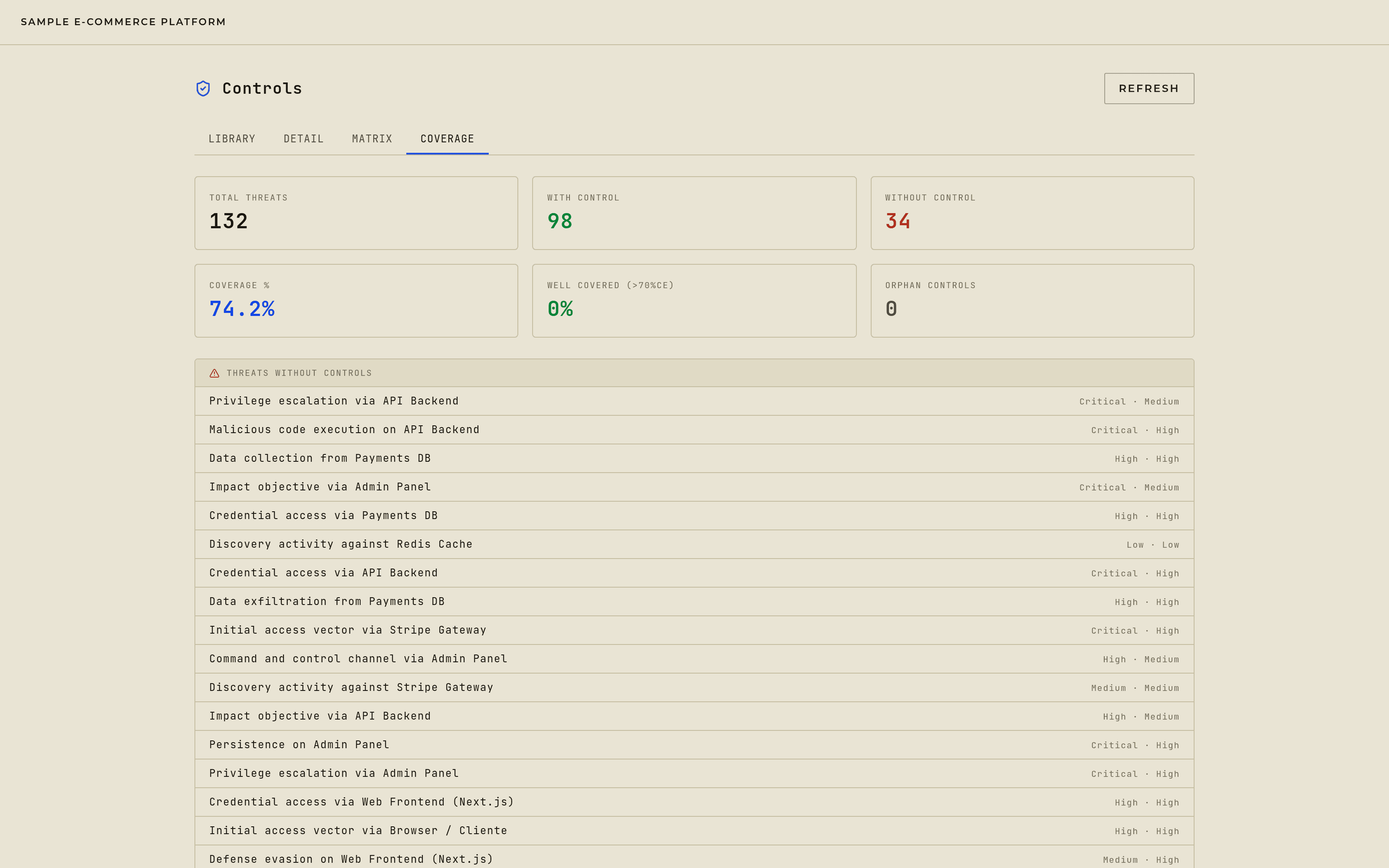
The coverage view gives you a project-wide read: how many threats have at least one active control, which controls aren't linked to anything, and how well-covered your best-protected threats are. Low coverage flags exactly where to focus next; an orphaned control is worth a second look — either it belongs on a threat you haven't linked yet, or it's protecting something the current project doesn't model, which is worth writing down.